Tuesday, September 25, 2018

world top car makers and ultimate car stunts you should not miss


Watch videos of ultimate car stunts from world top car makers like Mercedes Benz(Daimler AG) ,BMW ,Audi ,Volkswagen(VW) , Toyota,Renault-Nissan ,Hyundai-Kia,General Motors ,Ford Honda,FCA,Peugeot, Citroen ,Suzuki,Audi, Bentley, Bugatti , Lamborghini, Porsche, SEAT, Skoda....etc .


Tuesday, September 18, 2018

World Top future Car inventions looks like Supercars for 2050

Watch videos of future car inventions of world top car makers like Mercedes Benz(Daimler AG) ,BMW ,Audi ,Volkswagen(VW) , Toyota,Renault-Nissan ,Hyundai-Kia,General Motors ,Ford Honda,FCA,Peugeot, Citroen ,Suzuki,Audi, Bentley, Bugatti , Lamborghini, Porsche, SEAT, Skoda....etc .


Tuesday, August 14, 2018

Male lions Vs Male Lions Killing Group fight like Kick Boxing

Male lions Vs Male Lions Killing Group fight like Kick Boxing

Wednesday, August 1, 2018

Top Google Chrome Shortcut keys You Must Know


Google Chrome most impotent shortcut keys you must know for better browsing 


1# Open a new window----------------------------------------------->Ctrl + n

2# Open a new tab, and jump to it---------------------------------->Ctrl + t

3# Open a new window in Incognito mode------------------------>Ctrl + Shift + n

4# Reopen the last closed tab, and jump to it --------------------->Ctrl + Shift + t

5# Open your home page in the current tab------------------------>Alt + Home

6# Open the previous page from your browsing history in the current tab----------->Alt + Left arrow

7# Open the next page from your browsing history in the current tab----------------->Alt + Right arrow

8# Close the current tab----------------------------------------------->Ctrl + w or Ctrl + F4

9# Close all open tabs and the browser----------------------------->Ctrl + Shift + w

10# Minimize the current window---------------------------------->Alt + Space + n

11# Maximize the current window---------------------------------->Alt + Space + x

12# Close the current window--------------------------------------->Alt + F4

13# Quit Google Chrome--------------------------------------------->Ctrl + Shift + q
  1.  13# Open a link in a new window-------------------------------->Shift +click the link
  1.  14# Open a hyperlink in a new tab----------------------------------->Ctrl +click the link
  2.  15# Jump to the next open tab---------------------------------------->Ctrl + Tab or Ctrl + PgDn
  3.  16# Jump to the previous open tab---------------------------------->Ctrl + Tab or Ctrl + PgDn
  4.  17# Jump to a specific tab-------------------------------------------->Ctrl + 1 through Ctrl + 8
  5.  18# Jump to the last tab----------------------------------------------->Ctrl + 9
  6.  19# Add www. and .com to a site name, and open it ------------->Type a site name + Ctrl + Enter
  7.  20# Jump to the address bar------------------------------------------->Ctrl + l or Alt + d or F6
  8.  21# Print the current page--------------------------------------------->Ctrl + p
  9.  22# Open options to save the current page-------------------------->Ctrl + s
  10.  23# Reload the current page------------------------------------------>F5 or Ctrl + r
  11.  24# Open the Home page in the current tab------------------------>Alt + Home
  12.  25# Stop the page loading-------------------------------------------->Esc
  13.  26# Open a file from your computer in Chrome------------------->Ctrl + o + Select a file
  14.  27# ZOOM-IN--------------------------------------------------------->Ctrl and +
  15.  28# ZOOM-OUT------------------------------------------------------->Ctrl and -
  16.  29# Display non-editable HTML source code for the current page----->Ctrl + u
  17.  30# Turn full-screen mode on or off--------------------------------> F11
  18. For complete shortcut keys  please check the Google

Saturday, July 21, 2018

Beautiful president in football world cup Kolinda Grabar-Kitarovic

Beautiful president in football world cup France 

Every women should proud of Kolinda Grabar-Kitarovic  for her sportive sprit, Every football fan
should proud of her active energetic presence to encourage the football team of Croatia.
Croatia won the heats of world even though they lost the world cup .Be like and share ,If you 
are looking for good videos be subscribe .

Thursday, July 19, 2018

Top Social Networking Sites Worldwide

Top Social Networking Sites Worldwide 


A social media or Social networking website is an web based application that accommodate all the services which people need to communicate and collaborate and contribute with other people or group of people.People throughout the world selects best social networking sites to create their own page and builds social networks or social relations with other people or group of people who interactions with them or who they interested to interact .The Platforms which is provided by the social networking sites are easy to subscribe or easy to login and easy to use .Now a days so-many businesses which are communicating with people by using social networking sites by advertising through some paid subscriptions .People are communicating and collaborating with their favorite movie stars and singers through social networking sites by following their respective pages. There are so-many Social networking sites people can choose for their choice below are the list of top sites throughout the world . 

1# Facebook

Facebook is the biggest social networking website in the world , both in terms of total number of active users and Internet Traffic . Facebook was Founded on February 4, 2004 .

2# Twitter

Twitter is the second biggest social networking website in the world , both in terms of total number of active users and Internet Traffic. So-many celebrities and politicians are nowadays widely using twitter to tweet their followers .Twitter was founded on March 21, 2006.

3# Google+
Google+ one of the best in social networking we can place it in Rank 3 .Google+ is largest in active user because of their brand value and users (Google also has Orkut before due to less demand and high demand of google+ they stopped Orkut services ). Google+ was founded on December 2015.

4# Instagram

Instagram is the fourth biggest social networking website in the world and it is into visual social media platform. The site originally owned by Facebook  , as like Facebook ,It is also allow users to share video files.Even though it has strong user network with active posts,Hopefully most of the users are also users in Facebook. Almost 90 to 95 percent of Instagram users also use Facebook.Instagram was found on October 2010.

5# LinkedIn

LinkedIn is the 5th biggest social networking website in the world most required one for Employees and Employers . LinkedIn very identical in the social networking or professional social networking and have strong user network throughout the world. With LinkedIn you can create your professional profile to collaborate/communicate with people of similar professional experience and collaborate with similar/Interested industries.   LinkedIn also works like good recruitment site for finding skilled people and Freelancers. LinkedIn found on December 2002 .    

6# Pinterest

Pinterest is the 6th biggest social networking site with most women users and followers with good traffic .Pinterest  Launched in March 2010 .

7# Tumblr

Tumblr is 7th largest one bit difficult social networking platforms but it captured good user interest with good number users ,The platform allows several different post formats including video and audio formats and even user can create blogs. Tumblr launched in February 2007 .

8# Reddit
Reddit is the 8th largest one with good quantity of users and posts .Reddit is a social news and entertainment networking site where registered users can submit content. Submissions with the most positive votes appear in the top category or main page. Reddit was  Launched in June 23, 2005. 


Some more social networking sites which is contributing their active role with good market share are .

Quora ,Youtube,Periscope,BizSugar,StumbleUpon,Delicious ,Digg and Viber 


Friday, July 6, 2018

How To Register Website In Bing Search Engine

How To Register Website or Blog In Bing Search Engine  

Once you completed your website/blog design or once you framed website with good content just publishing wont give better results. we need to register website or blog in 2 main search engines 1)Google search console 2)Bing Webmaster Tools .
                    By registering in search engine we will get good traffic and this is major part of SEO job (Search Engine Optimization) ,Due to good optimization the website /Blog will get better ranking in search results and will be visible to the world in search results. In this article i am going to explain how to register web in Bing Webmaster Tools

1# Login to Bing Webmaster Tools .
2# Go to my Sites 
3#Write/Paste your main website/Blog address
  Note:Try to add complete sitemap like https://abcweb.com/sitemap.xml
4#Then Click ADD
5# Next It will show Meta content with authentication code as below .
Bing Search Engine, Google Search Console,
6#Take the Meta tag content with code and place in your website/Blog html code .
Note1 :See the example which is showing in above snip or in your Webmaster Tools for reference .
Bing Search Engine, Google Search Console,
7#Take the Meta tag content with code and place in your website/Blog html code just after <head> and save then Close.
Bing Search Engine

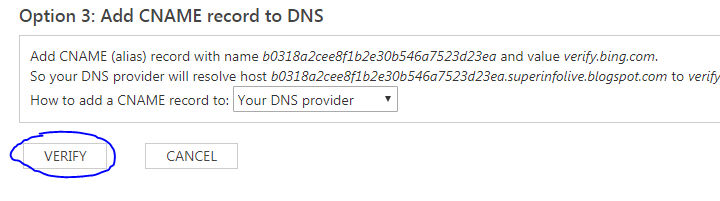
8#After that Go to Bing Webmaster Tools and click in VERIFY option to authenticate ownership .

9# Next bing will verify your ownership and show the status as verified .
 
10#Bing will start Crawl your website .If you already submitted your sitemap as i mentioned in Step 3 then bing will start crawling complete website with all the page links . 

11# Bing will complete crawl process and will index all the pages of your website/Blog .
Note :This process will take some time from 1 week to 1 month . 

12# Then your web page-links will start to visible in bing search window based on user search request .Complete weblinks appearance records and clicks you can track from Bing webmaster dashboard  
Note :Please check your website mobile friendliness also from Bing Webmaster from this link 
If you want to know how to register website/Blog in Google Search Console please read below link.
How To Register Website or Blog In Google Search Console

How To Register Website or Blog In Google Search Console

How To Register Website or Blog In Google Search Console

Once you completed your website/blog design or once you framed website with good content just publishing wont give better results. we need to register website or blog in 2 main search engines 1)Google search console 2)Bing Webmaster Tools .

                    By registering in search engine we will get good traffic and this is major part of SEO job (Search Engine Optimization) ,Due to good optimization the website /Blog will get better ranking in search results and will be visible to the world in search results. In this article i am going to explain how to register web in 

yet to write ,will come soon

Wednesday, June 27, 2018

HOW TO OPEN MULTIPLE WEB LINKS IN SINGLE CLICK WITH TIME DELAY

HOW TO OPEN MULTIPLE WEB LINKS IN SINGLE CLICK WITH TIME DELAY

Do you want to open all your default daily websites like Facebook, Gmail and Google in single click with time delay here you can Go

 1# Open notepad

2# Write Script like below .Note :please replace websites with your website .

@echo off
start "" chrome "https://www.google.co.in/" 
Timeout /t 10 /nobreak >nul 2>&1
start "" chrome "https://www.facebook.com/" 
Timeout /t 10 /nobreak >nul 2>&1
start "" chrome "https://www.msn.com/de-de/"
Timeout /t 10 /nobreak >nul 2>&1
start "" chrome "https://superinfolive.blogspot.com/"

3# Select File->SaveAs->Save with .bat file format .
HOW TO OPEN MULTIPLE WEB LINKS IN SINGLE CLICK WITH TIME DELAY


4# Double Click  batch file when ever you want to open multiple weblinks.

Batch File
Do you want to open multiple websites without time delay ,then please check below link

HOW TO OPEN MULTIPLE WEB LINKS IN SINGLE CLICK

HOW TO OPEN MULTIPLE WEB LINKS IN SINGLE CLICK 

Do you want to open all your default daily websites like Facebook, Gmail and Google in single click here you can Go

 1# Open notepad

2# Write Script like below .Note :please replace websites with your website .

@echo off
start "" chrome "https://www.google.co.in/" .
@echo off

start "" chrome "www.facebook.com/" .
@echo off

start "" chrome "https://superinfolive.blogspot.com/" .

3# Select File->SaveAs->Save with .bat file format .
Multiple Websites in Single click


4# Double Click batch file when ever you want to open multiple weblinks.

Batch File

Do you want to open multiple websites with time delay ,then please check below link


How To Write Alt Text Tag In Blogger

How to write alt tag to images in blogger

1# Log in to a Blogger account. 

2# Then select your blog(like:SportNews) and then make a new post.

3# Add image to post. Either from your computer or from Web by using insert image option.

4# Click on the image. Then click on Properties.
How to Add Alt Attribute to Image in Blogger

5# Enter the title text. Then add alt text then click OK.
How to Add Alt Tag to Image in Blogger

This is how it will show alt tag in HTML window .Google search engine can easily finds your Tag and shows in search results .

How to Add Alt Attribute for SEO


Monday, May 28, 2018

Free Video Editing Software for Youtube

Best Video Editing Software For Facebook ,YouTube ,Twitter , instagram and many more  

1. Filmora 


Filmora is one of best video editing software service built for starters who would like to spend less time understanding the basic functionalities of a video editing software, and focus more on their task of creating and editing videos .Filmora is Wondershare’s standard, simple, high-quality video editing software .Wondershare also offers FilmoraGo for mobile editing and Filmora Scrn for screen recording and editing.

2.CyberLink PowerDirector

PowerDirector is a premium, feature-packed video editor ."PowerDirector is the fastest and most capable consumer-level video editing software for Windows around, and it's the first 360-degree video editor for VR footage.With free video templates in Easy Express Project, new Color Match & Look-up Table support, plus Multi-Cam editing, you can easily create amazing memories .PowerDirector the ultimate video editing software .


PowerDirector comes with plenty of futures for audio ,video and image editing which is good for travelers ,Families .With PowerDirector you can edit videos and save in different formats or share in Youtube ,facebook.....etc  

3. Corel VideoStudio

Best Video Editing Software ,Video editing ,Audio editing ,Youtube Video,Youtube Vedio ,video Youtube,Software


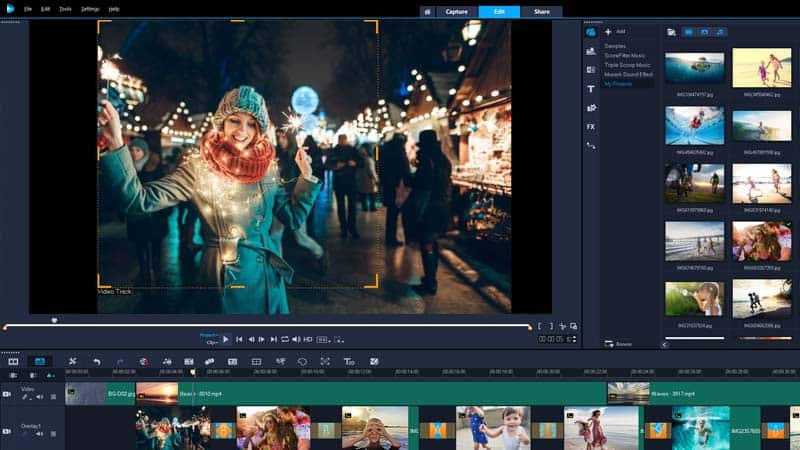
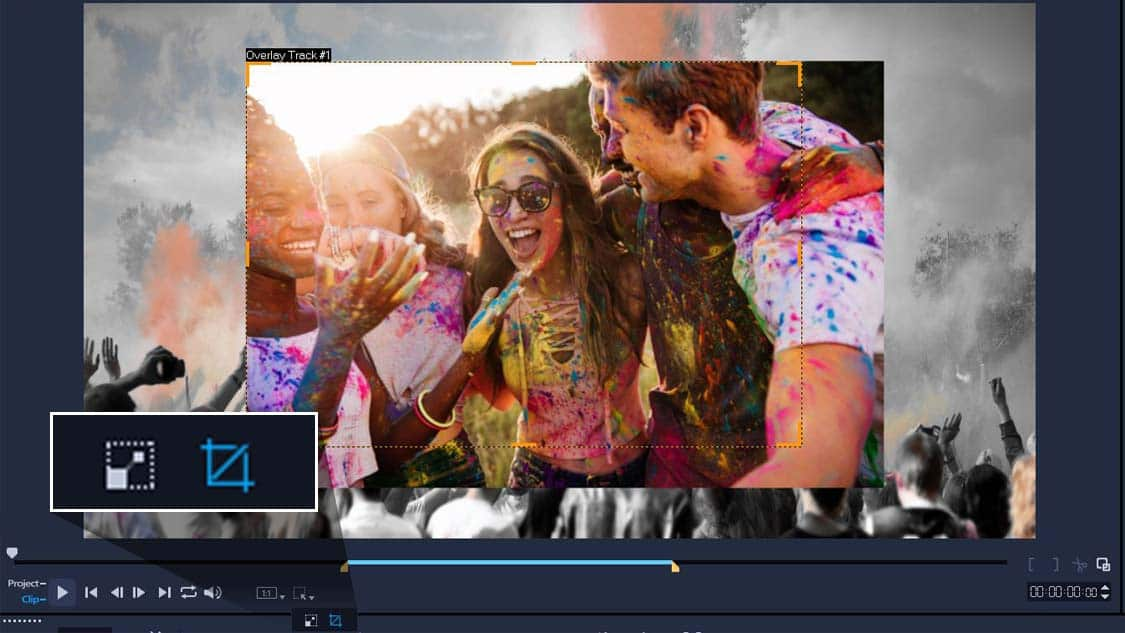
Corel VideoStudio packed with all best future which is offered by most products like 360-degree, 4k ,Split screen support,It offers One of the best motion tracking systems that allows you to Track an object and add moving text, graphics, or blur faces, logos or license plates in your video with accurate Motion Tracking tools . With VideoStudio you can Easily adjust the opacity of your tracks directly in the timeline to show multiple clips at once .

Best Video Editing Software ,Video editing ,Audio editing ,Youtube Video,Youtube Vedio ,video Youtube,Software
It is one of the best video and Audio editing tool with faster systems on this list, like CyberLink PowerDirector with cheaper price .With VideoStudio you can Upload your video to YouTube, Facebook, Vimeo and Flickr directly from VideoStudio. 
Download link: VideoStudio Download Full

4. Pinnacle Studio

Best Video Editing Software ,Video editing ,Audio editing ,Youtube Video,Youtube Vedio ,video Youtube,Software


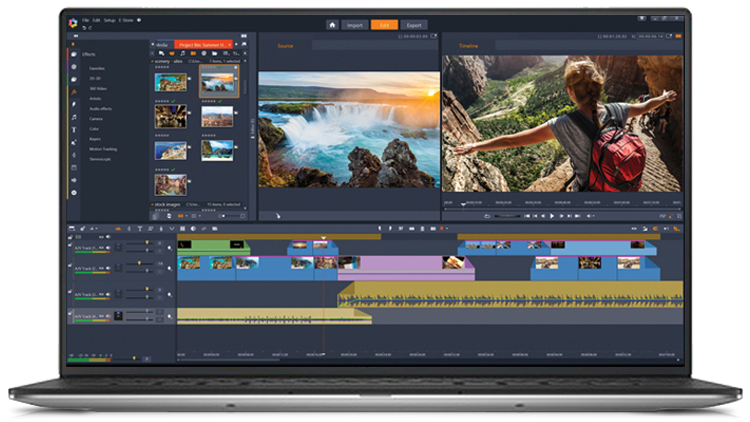
Pinnacle almost like video studio which it was equipped with all the features you’d expect from an upper echelon product futures like motion tracking, 360-degree VR support, 4k support, multi-cam, etc.Pinnacle’s interface is still as user-friendly  as anything on this list.
Best Video Editing Software ,Video editing ,Audio editing ,Youtube Video,Youtube Vedio ,video Youtube,Software

Pinnacle is bit costly than the products listed above but still worthy for the futures it offer .With Pinnacle you can Add and customize titles with animations and motion and try your hand at new 3D text effects to your photos and videos, or overlay graphics on your clips.With Pinnacle Studio you can  upload your video to share with your family and friends on Facebook, YouTube and Vimeo  directly .